 English
 Chinese
 Pусский
 Español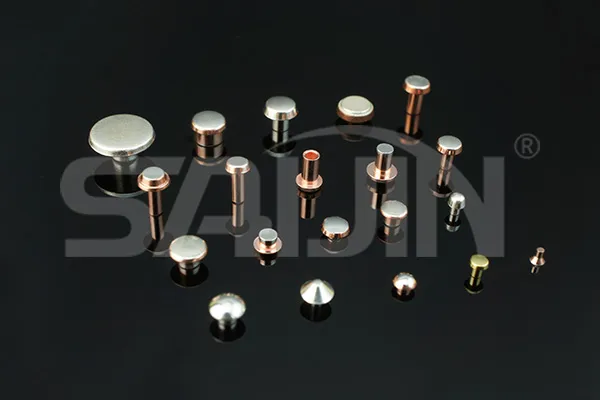
You've got a relay that's acting up, a switch that's intermittent, or a connector that's losing signal. Before you replace anything, there's a good chance the electrical contact points just need cleaning. Dirt, oxidation, and corrosion build up over time, turning a reliable connection into a frustrating problem. But how often should you clean them? And what's the right way to do it without causing more damage? This article walks through a complete cleaning protocol—from disconnecting power to choosing the right cleaner to knowing when cleaning isn't enough and replacement is the smarter move.
First Questions About Contact Maintenance
Two Practical Concerns—Answered Directly
Q: How do I know if my contacts need cleaning?
A: Look for visible dirt, discoloration, or corrosion (green, white, or brown buildup) on the contact surfaces. Performance issues like intermittent connections, poor conductivity, or device failure are also strong indicators.
Q: Can I use any cleaner on electrical contacts?
A: No. The wrong cleaner can leave residue, damage surfaces, or create conductivity issues. Isopropyl alcohol (90%+ concentration) and specialized contact cleaner sprays are safe choices. Avoid household cleaners that leave films or contain oils.
The Cost of Neglected Contacts — Why Regular Maintenance Matters
Electrical contact points are everywhere—household appliances, automotive systems, industrial controls. When they're clean, they conduct efficiently. When they're dirty, resistance increases, heat builds, and performance degrades. Over time, that degradation leads to intermittent failures, costly downtime, and premature equipment replacement. A regular cleaning schedule—every 6 to 12 months, or as needed—prevents most of these issues. The time investment is minimal; the payoff is reliable operation and extended equipment life.
What Actually Happens When Contacts Get Dirty
Dirt creates a physical barrier between mating surfaces. Oxidation forms an insulating layer that increases resistance. Corrosion eats into the metal, permanently damaging the contact surface. Each of these issues compounds over time, turning a small problem into a major failure.
The Hidden Cost of Intermittent Connections
Intermittent connections are the hardest to diagnose. A device works fine one moment, fails the next. You waste hours troubleshooting when the root cause is simply a dirty contact. Regular cleaning eliminates this variable from your diagnostic process.
The Six-Step Cleaning Process — A Systematic Approach
Cleaning electrical contact points isn't complicated, but it requires discipline. Here's a step-by-step process that works across most applications:
Step 1: Disconnect Power
Safety first. Before touching any contact, disconnect the power source. For battery-powered devices, remove the batteries. For wired devices, unplug them or turn off the relevant circuit breaker. This prevents electric shock and protects the device from short circuits during cleaning.
Step 2: Choose the Right Cleaner
The cleaner you choose determines the outcome:
-
Isopropyl Alcohol (90%+): Effective for dirt, grease, and light oxidation. Evaporates quickly, leaving no residue.
-
Contact Cleaner Spray: Formulated specifically for electrical contacts. Many include corrosion inhibitors and leave a protective film.
-
Vinegar Solution (1:1 with water): A natural option for mild corrosion on non-sensitive contacts. Must be thoroughly rinsed and dried afterward.
Step 3: Apply the Cleaner Sparingly
For liquid cleaners, dampen a lint-free cloth or cotton swab—don't soak it. Excess liquid can seep into the device and cause damage. For sprays, hold the can a few inches away and apply a light mist, ensuring coverage of all contact surfaces including crevices.
Step 4: Clean the Contacts
Gently wipe the contacts using a back-and-forth or circular motion. For stubborn deposits, use a soft-bristled toothbrush. Clean both sides of male/female contact pairs to ensure a good connection. Avoid excessive pressure—delicate contacts can bend or break.
Step 5: Address Severe Corrosion
If you see green, white, or brown buildup, you're dealing with severe corrosion. Use fine-grit sandpaper (400-600 grit) or a very fine wire brush to gently remove the corrosion. Rub lightly in one direction to avoid excessive scratching. After removal, clean the area again with your chosen cleaner.
Step 6: Rinse and Dry Thoroughly
If you used a water-based cleaner, rinse with clean water to remove acidic residue. Then dry completely using a lint-free cloth. For hard-to-reach areas, use compressed air. Ensure contacts are 100% dry before reconnecting power—even small amounts of moisture can cause short circuits.
Application-Specific Tips — One Size Doesn't Fit All
Different applications require slightly different approaches. Here's how to handle common scenarios:
Automotive Battery Contacts
Disconnect the negative terminal first, then the positive. Clean corrosion with a baking soda and water paste (3 parts baking soda to 1 part water). Apply with a brush, scrub gently, rinse with water, and dry thoroughly. Reconnect the positive terminal first, then the negative.
Electronic Devices (Smartphones, Laptops)
Use 99% isopropyl alcohol with a microfiber cloth or foam swab. Avoid getting liquid into ports. For charging ports, use compressed air to remove debris before cleaning with a dampened swab.
Switches and Outlets
Turn off the circuit breaker before cleaning. Use a contact cleaner spray designed for switches and outlets. Spray lightly into the switch or outlet, then work the switch on and off several times to distribute the cleaner. Allow it to dry completely before restoring power.
Audio/Video Connectors (HDMI, RCA)
Use a cotton swab dampened with isopropyl alcohol to clean the pins. For RCA connectors, specialized connector cleaners are also effective. Ensure connectors are dry before plugging them back in.
Cleaner Comparison — What Works Best for What
| Cleaner | Best For | Pros | Cons |
|---|---|---|---|
| Isopropyl Alcohol (90%+) | General cleaning, light oxidation | Evaporates quickly, no residue, widely available | Less effective on heavy corrosion |
| Contact Cleaner Spray | All contacts, especially switches | Dissolves corrosion, some leave protective film | More expensive, variety matters |
| Vinegar Solution (1:1) | Mild corrosion on non-sensitive contacts | Natural, inexpensive | Acidic, must rinse thoroughly |
| Baking Soda Paste | Automotive battery terminals | Neutralizes acid, effective on battery corrosion | Messy, requires rinsing |
When Cleaning Isn't Enough — The Replacement Decision
There's a point where cleaning stops being effective. If the electrical contact points are severely corroded, replacement is the better option. Deep corrosion eats into the base metal, leaving pitting and surface damage that no amount of cleaning can修复. In these cases, continuing to clean only wastes time and risks unreliable performance.
Signs It's Time to Replace
-
Visible pitting or metal loss on the contact surface
-
Corrosion that returns quickly after cleaning
-
Physical damage (bent, broken, or worn contacts)
-
Repeated failures despite thorough cleaning
Quality Matters in Replacement
When replacement is necessary, the quality of the new contact points directly affects long-term reliability. Saijin's electrical contact points are known for durability and stability, ensuring long-term reliability across a variety of devices and systems—including relays, switches, sockets, and connectors.
Straight Answers About Contact Cleaning
Q: How often should I clean electrical contacts?
A: A general rule is every 6 to 12 months, or as needed. High-use equipment, harsh environments, or applications with visible contamination may require more frequent cleaning.
Q: Can I use WD-40 or household cleaners on contacts?
A: No. WD-40 leaves a residue that can attract dirt and interfere with conductivity. Household cleaners often contain oils, silicones, or other additives that damage contacts or leave insulating films. Stick to isopropyl alcohol or specialized contact cleaners.
Q: What's the biggest mistake people make when cleaning contacts?
A: Using too much liquid. Excess cleaner can seep into the device, causing shorts or damage that's worse than the original problem. Less is almost always more when it comes to applying cleaners.
Q: Does cleaning really extend equipment life?
A: Yes. Regular cleaning prevents the buildup that leads to increased resistance, heat generation, and eventual failure. It's one of the most cost-effective maintenance tasks you can perform.
Request a Contact Point Replacement Assessment
A reliable electrical contact point is the foundation of any electrical system. Regular cleaning extends the life of your existing contacts, but when corrosion or wear goes too deep, replacement is the only real solution. Saijin's silver welding contacts deliver the durability and stability that demanding applications require—whether you're maintaining relays, switches, sockets, or connectors.
Don't wait for intermittent failures to become costly downtime. A proper maintenance program—regular cleaning combined with timely replacement of worn contacts—keeps your equipment running reliably.
Contact Saijin for a contact point replacement assessment → their team can help you identify the right contact specifications for your application and provide durable, stable replacements that match your original equipment requirements. Get contacts that last—so you spend less time cleaning and more time running.